
Booking Accessible Seats Online
Welcome to the Cultch! We look forward to sharing our shows with you.
Step 1: Logging In
- Go to The Cultch Account Login
- Enter your email address and password, then log in.
- If you are a new user, click Register Now to create an account.
- If you forgot your password, click the password reset link and follow the instructions sent to your email.
Step 2: Add Your Accessibility Needs
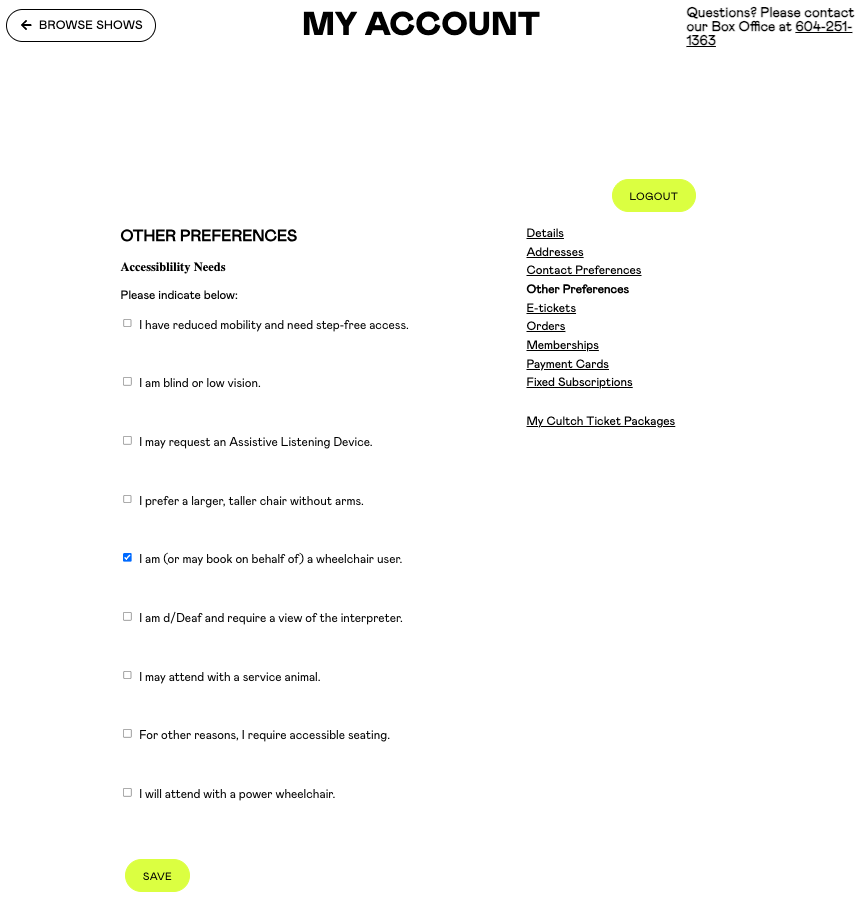
- Once logged in, you will see your account details.
- Click Other Preferences.
- Check the box or boxes that best match your accessibility needs.
- You only need to select one box to enable accessible seating.
- You may select multiple options if they apply to you or someone you are booking for.
- Click the yellow Save button.
Your account is now set up to book accessible seating.
Step 3: Book Your Seats
- Click the Browse Shows button in the top left corner.
- Find the show you want and click Buy Tickets.
- Select your preferred date and time, then click Choose Seats.
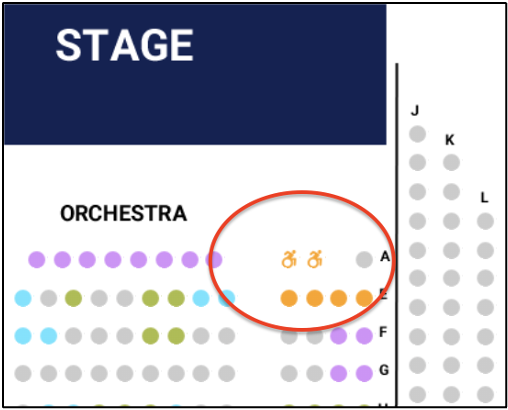
- Accessible seats are marked with the International Symbol of Access.
Accessible Seating Locations
- Historic Theatre: Row A
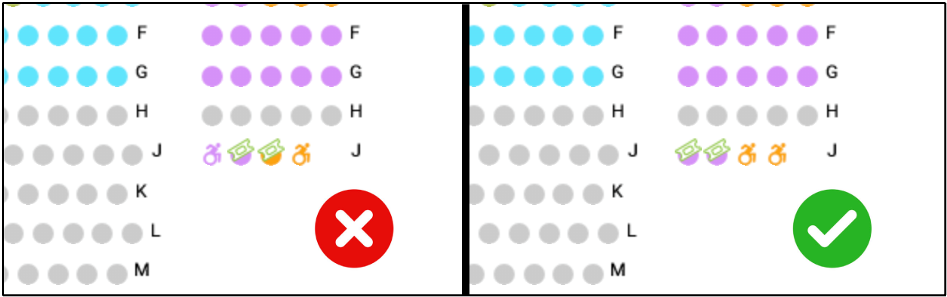
- York Theatre: Rows J and N
For more details, visit the The Cultch Accessibility Page
Important Notes
- You may book up to 2 accessible seats per event online.
- Gray circles mean the seats are already sold.
- Please avoid leaving a single empty seat beside your selection when possible.
- If you need more than 2 accessible seats, contact the Box Office.
General Seating Events
If no seating map appears:
- Seating is first come, first served.
- Front of House staff will be notified of your accessibility preferences and may reserve suitable seats for you.
- Enter the number of tickets you need into the box next to your chosen ticket type.
After selecting your seats, click Continue.
Step 4: Review Your Cart
Carefully review:
- Show name
- Date
- Time
Click Continue to move to your cart.
Step 5: Checkout
- Proceed to checkout when ready.
- Confirm your personal details.
- Choose your ticket delivery method:
- E-tickets (can be saved to Apple Wallet or Google Wallet)
- Box Office Pickup (available before the show)
- Click Continue.
Step 6: Additional Options
- Some shows may require age confirmation.
- You may also choose to make a donation to The Cultch.
Final Step: Confirm Your Order
- Review your order summary carefully.
- Enter your payment information.
- Click Confirm Order to complete your booking.
You should receive a confirmation email within 5–10 minutes. Check your inbox to make sure your booking was successful.
Need Additional Assistance?
If you:
- Need more than 2 accessible seats
- Are attending with an Essential Companion
- Are attending with a motorized wheelchair or scooter
- Need accessible parking at the Historic Theatre
Please contact the Box Office:
- Use our contact form
- Phone: 604-251-1363